Rename Tool  

Intro
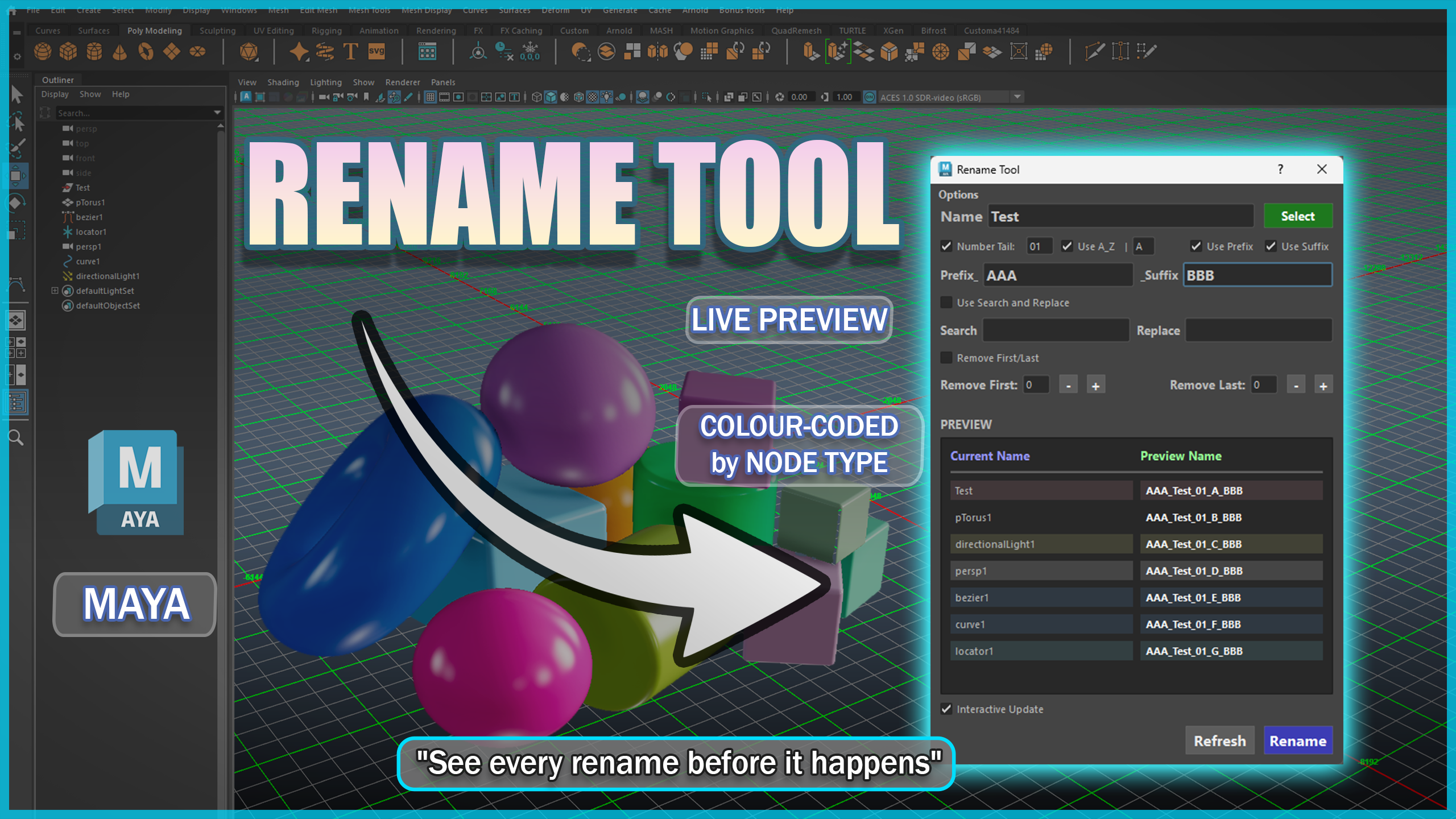
Maya Versions
Tested in Maya 2022-2027
Rename Tool is a lightweight, high-performance batch renaming utility for Autodesk Maya.
Built to handle heavy production scenes, it combines instant live previewing with smart name-clash protection, intelligent character trimming, and single-click asset prep.
Key Features
-
Real-Time Live Preview & Scene Safety:
- Non-Destructive Live Updates: For every object selected, the tool will provide a preview of the name for every object before being renamed.
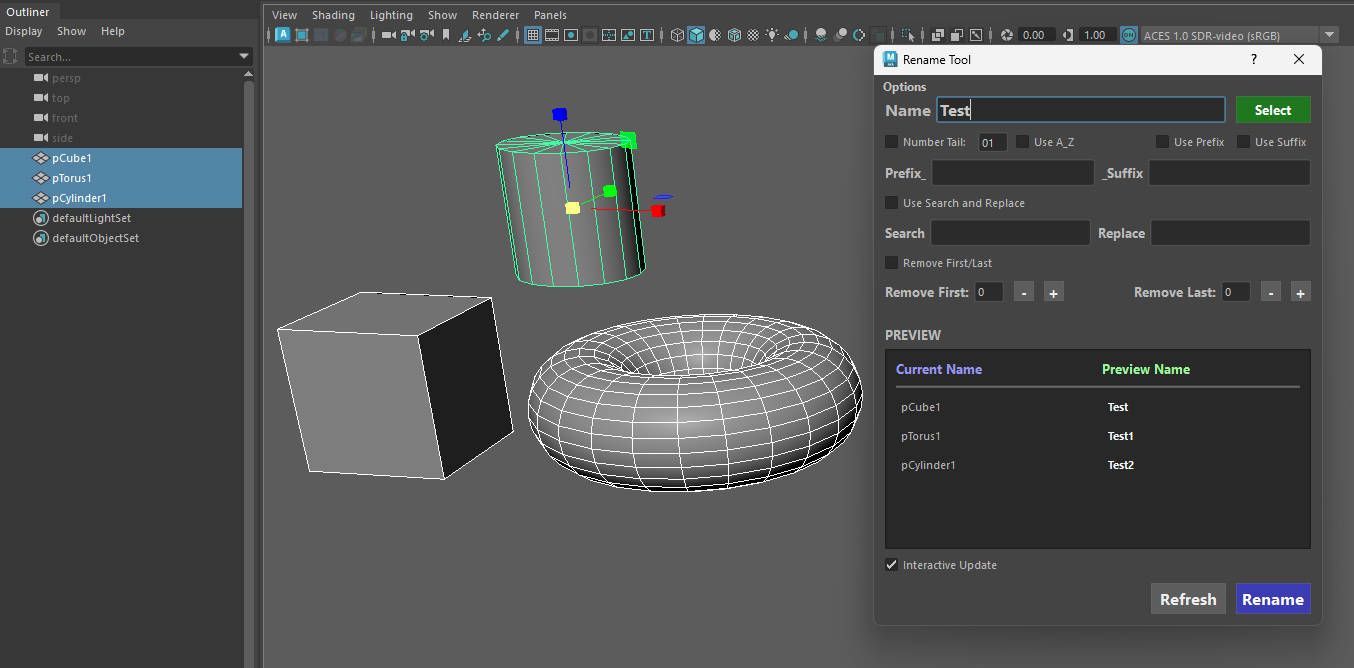
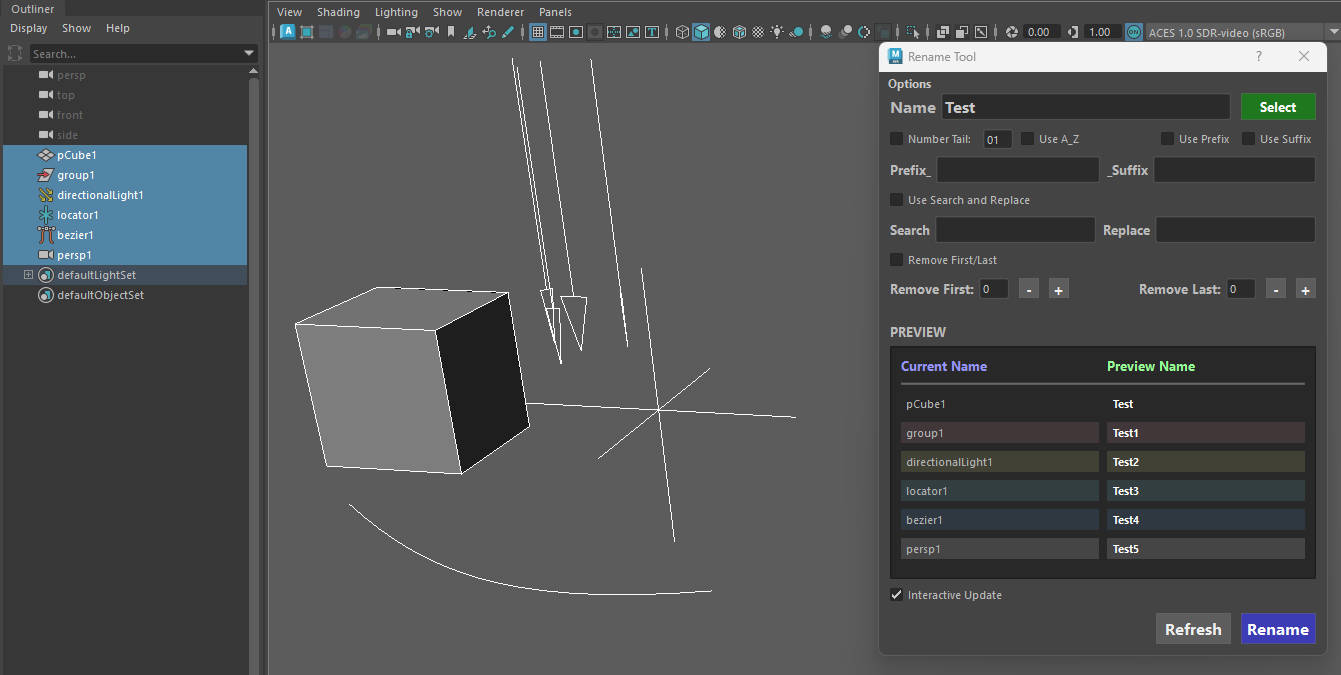
- Node Type Color-Coding: Preview items are faint-colored by type (Cameras, Curves, Locators, Transforms, Lights) for quick visual identification.
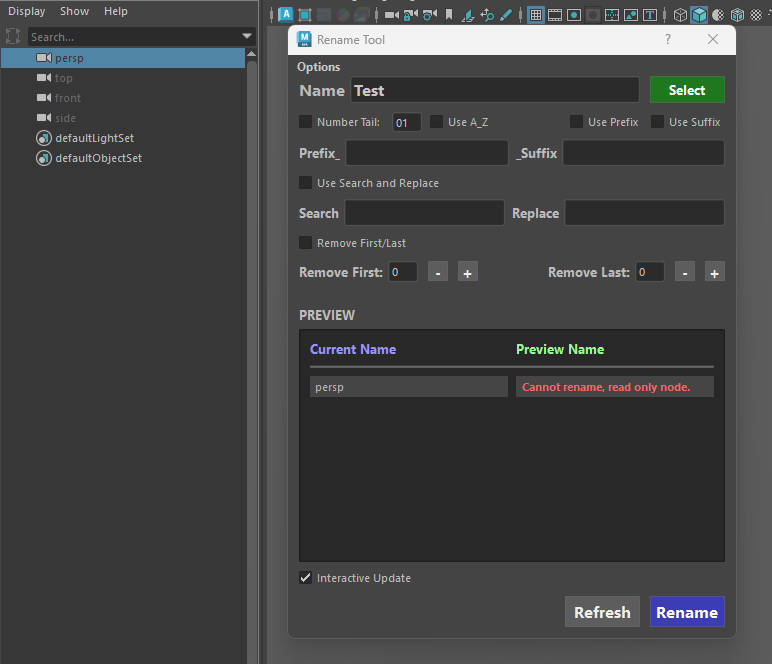
- Read-Only Node Protection: Automatically flags locked, referenced, or default Maya nodes (Cannot rename, read only node.) to prevent pipeline breaks.
-
Smart Name Clash Resolution: Intelligently simulates Maya's hierarchy-naming rules to prevent accidental duplicate names by dynamically incrementing numbers.
-
Search & Replace: Use the case-sensitive Search & Replace to fix naming conventions instantly.
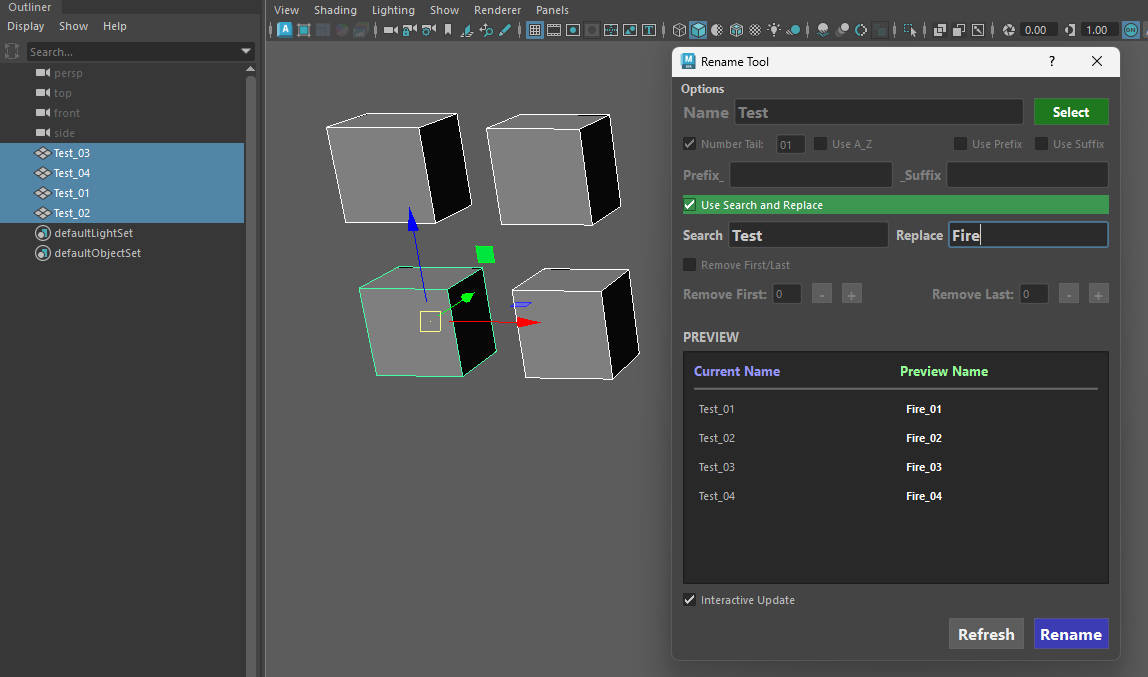
- Smart Character Trimming (Remove First/Last): Remove $N$ characters from the beginning or end of object names using incremental + / - buttons.
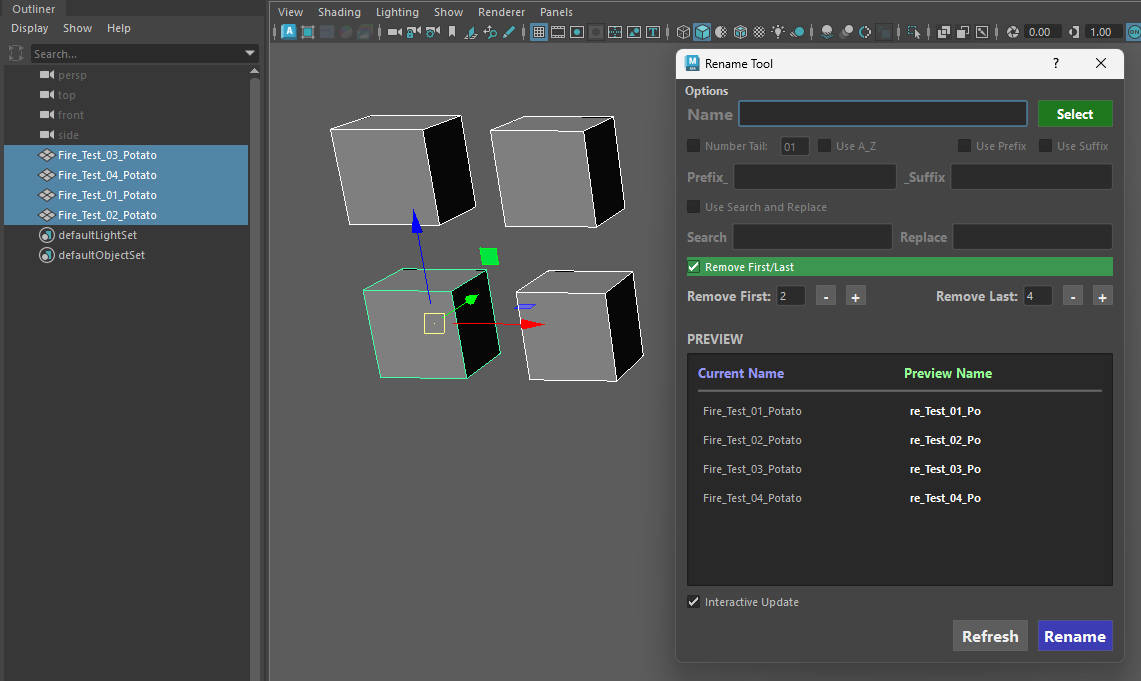
- Fully Dockable: The tool can be integrated within Maya's UI.
Options Dropdown Window
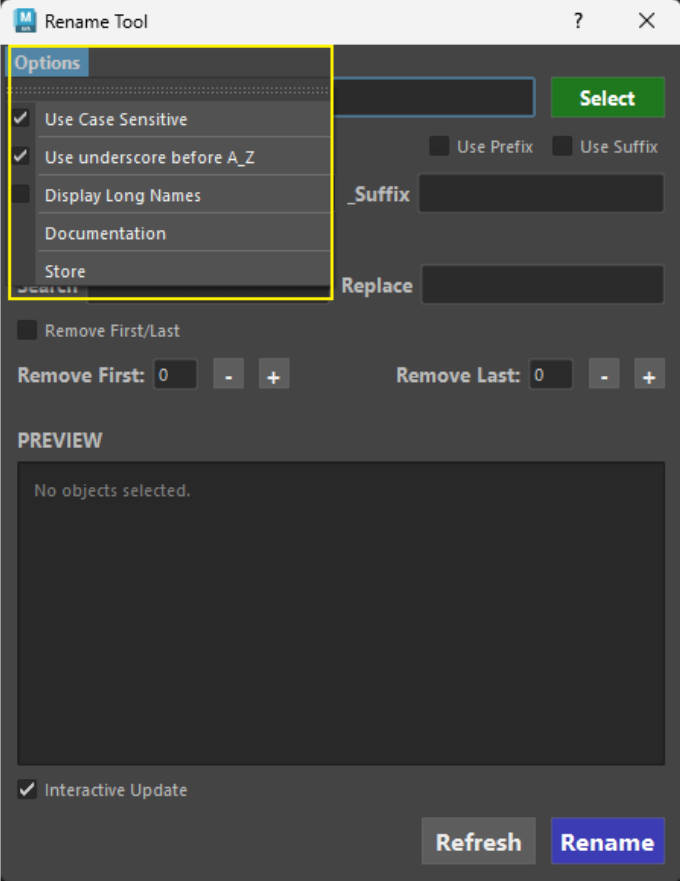
- Use Case Sensitive: This option enables you to search and replace case only sensitive text. Uncheck to ignore this rule.
- Use underscore A_Z: This option adds an underscore _ before applying the letter.
-
Display Long Names: Enabling this option will display the long names of your selected objects. (Useful when selecting objects using the same name that belong in different groups. The long name will be able to tell you which group each selection belongs.)
-
Documentation - Opens a link to the documentation.
-
Store - Opens links to ArtStation and Gumroad.