Batch Material Creation
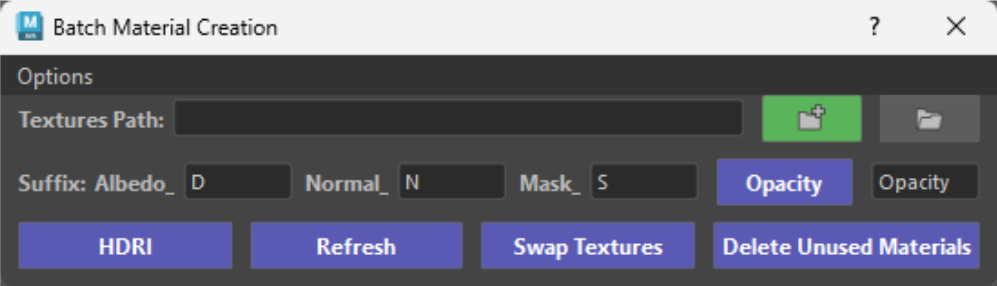
Step 1 - Setting up
-
1.Unzip the
Batch_Material_Creation.zipfile.2.Copy paste the
Batch_Material_Creationfolder in your\Documents\Maya\Scriptsfolder.3.Open
Maya.
Step 2- Activating
-
Copy the 2 python lines below on a shelf or bind these to a hotkey to load the tool.
1
2
from Batch_Material_Creation.Scripts import batch_material_creation
batch_material_creation.OpenImportDialog.show_dialog()
Batch Material Creation Image - Shelf Button Info
First time you fire up the tool click on the Options Menu.
There you will find a create shelf button you can use that will automatically create a shelf button for you.
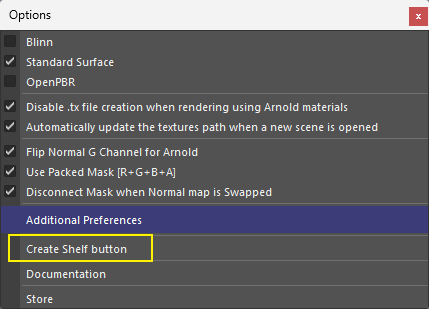
Downloading this image is not necessary (exists only as backup).
Click the button below to learn how to create hotkeys and shelf buttons.